

rsk.rename für Windows
Viele Dateien. Ein Plan.
Benenne hunderte oder tausende Dateien in einem Durchgang um, kopiere oder verschiebe sie – und sieh vorher genau, was passieren wird.
Live-Vorschau · Flexible Regeln · Presets · Kein Abo
Hinweis zur Testversion: In der kostenlosen Testversion ist die Nutzung auf 25 Dateien pro Umbenennungsvorgang, ein gespeichertes Preset sowie ohne Export von Protokollen oder Listen begrenzt. So kannst du rsk.rename in Ruhe kennenlernen und den Workflow testen. Nach erfolgreicher Lizenzierung stehen alle Funktionen vollständig und ohne Einschränkungen zur Verfügung.
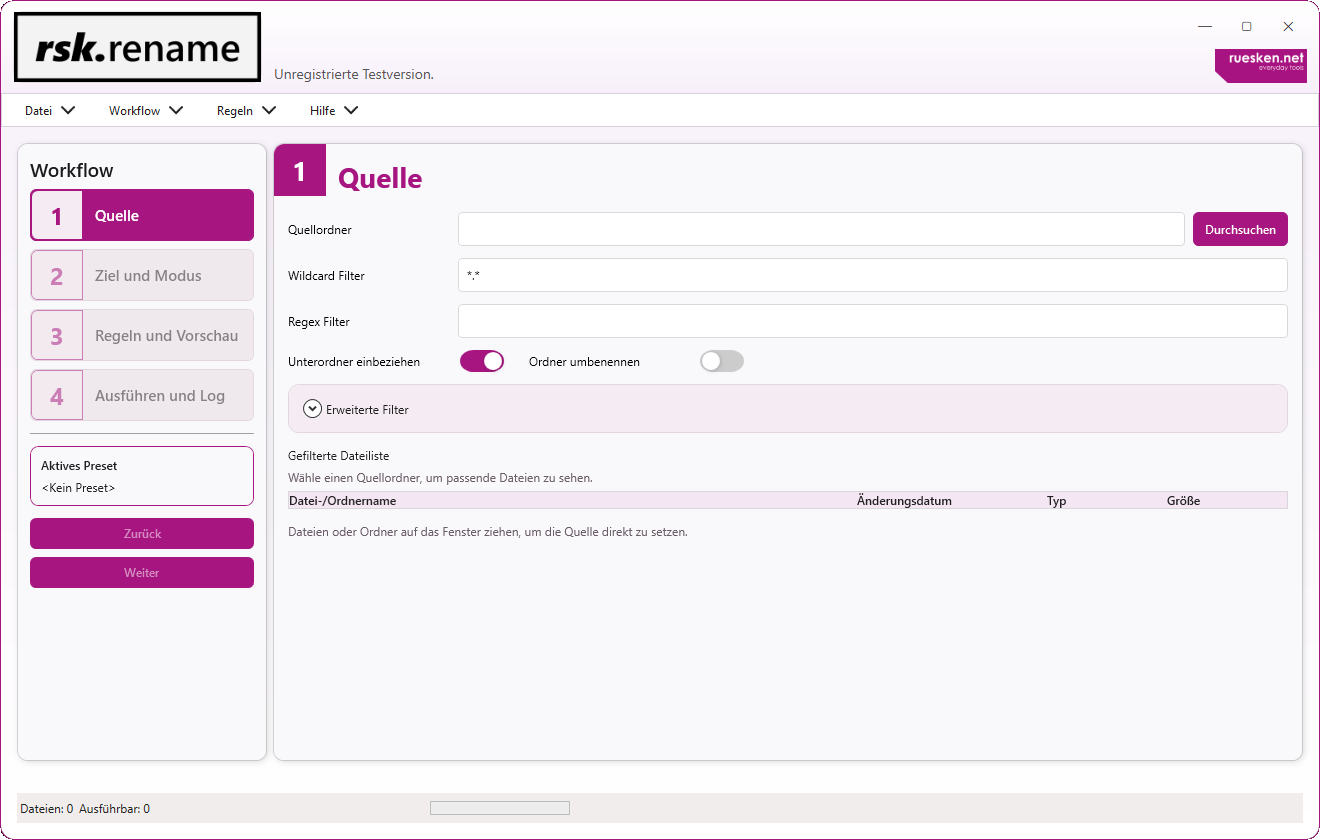
Bei zehn Dateien geht es noch von Hand.
Bei 500 nicht mehr.
Fotos aus verschiedenen Quellen. Exporte mit kryptischen Namen. Dokumente, die einem festen Schema folgen sollen. Dateien, die gleichzeitig umbenannt und in eine neue Struktur verschoben werden müssen.
rsk.rename ist für genau diese Jobs gemacht.
Regeln bauen. Vorschau prüfen. Ausführen.
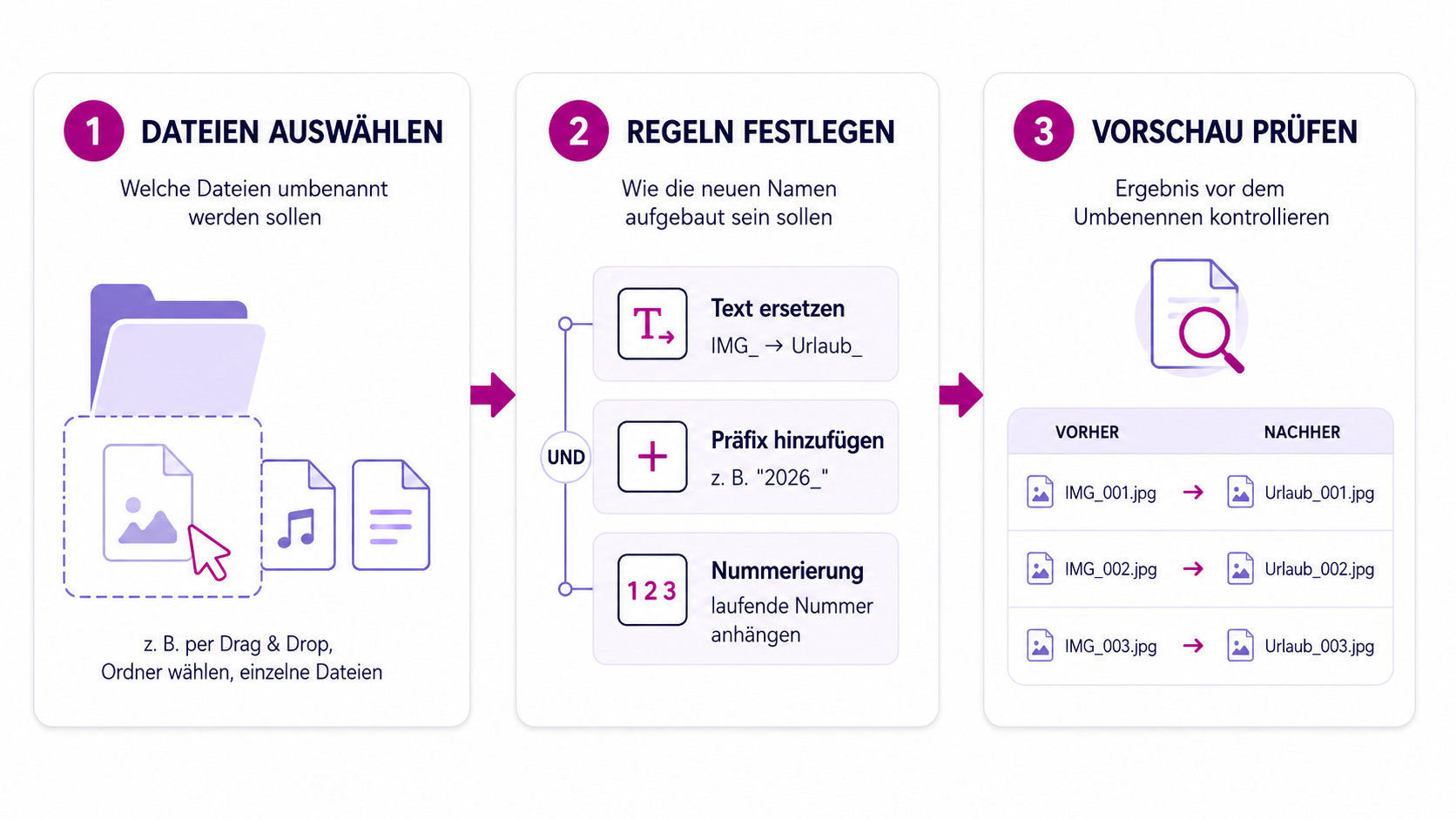
Du wählst deine Dateien aus und legst fest, was mit ihnen passieren soll.
Danach baust du deine Regeln. Einfaches Ersetzen, Nummerierungen, Datumswerte, Metadaten, reguläre Ausdrücke oder eigene JavaScript-Logik lassen sich miteinander kombinieren.
Bevor rsk.rename irgendetwas verändert, siehst du das Ergebnis.
Erst wenn alles passt, führst du den Vorgang aus.
1. Dateien auswählen
Füge einzelne Dateien oder ganze Ordner hinzu. Du siehst direkt, womit du arbeitest.
2. Regeln festlegen
Baue genau den Ablauf, den du brauchst. Eine Regel oder mehrere hintereinander – vom einfachen Ersetzen bis zur eigenen Logik.
3. Ergebnis prüfen
Die Vorschau zeigt dir den neuen Dateinamen und mögliche Konflikte, bevor tatsächlich etwas verändert wird.
Was kann man damit machen?
Eine ganze Menge. Hier sind ein paar typische Jobs, für die ich rsk.rename selbst gebaut hätte.
Fotos sauber benennen
Aus IMG_4821.jpg, IMG_4822.jpg und IMG_4823.jpg wird zum Beispiel:
Sommerfest_2026_001.jpgSommerfest_2026_002.jpgSommerfest_2026_003.jpg
Exporte in Form bringen
Entferne kryptische Bestandteile aus Dateinamen, ergänze ein Datum oder bringe regelmäßig erzeugte Dateien in ein einheitliches Schema.
Dateien gleichzeitig neu organisieren
Benenne Dateien nicht nur um, sondern kopiere oder verschiebe sie direkt an den richtigen Ort.
Wiederkehrende Jobs speichern
Wenn du denselben Ablauf regelmäßig brauchst, speicherst du ihn einfach als Preset und verwendest ihn beim nächsten Mal wieder.
Und wenn dein Anwendungsfall spezieller wird, stehen dir Regex, JavaScript-Regeln und die Kommandozeile zur Verfügung.
Du siehst vorher, was nachher passiert.
Bei einer Datei ist ein Fehler schnell korrigiert. Bei tausend Dateien sieht das anders aus.
Deshalb ist die Vorschau für mich einer der wichtigsten Teile von rsk.rename.
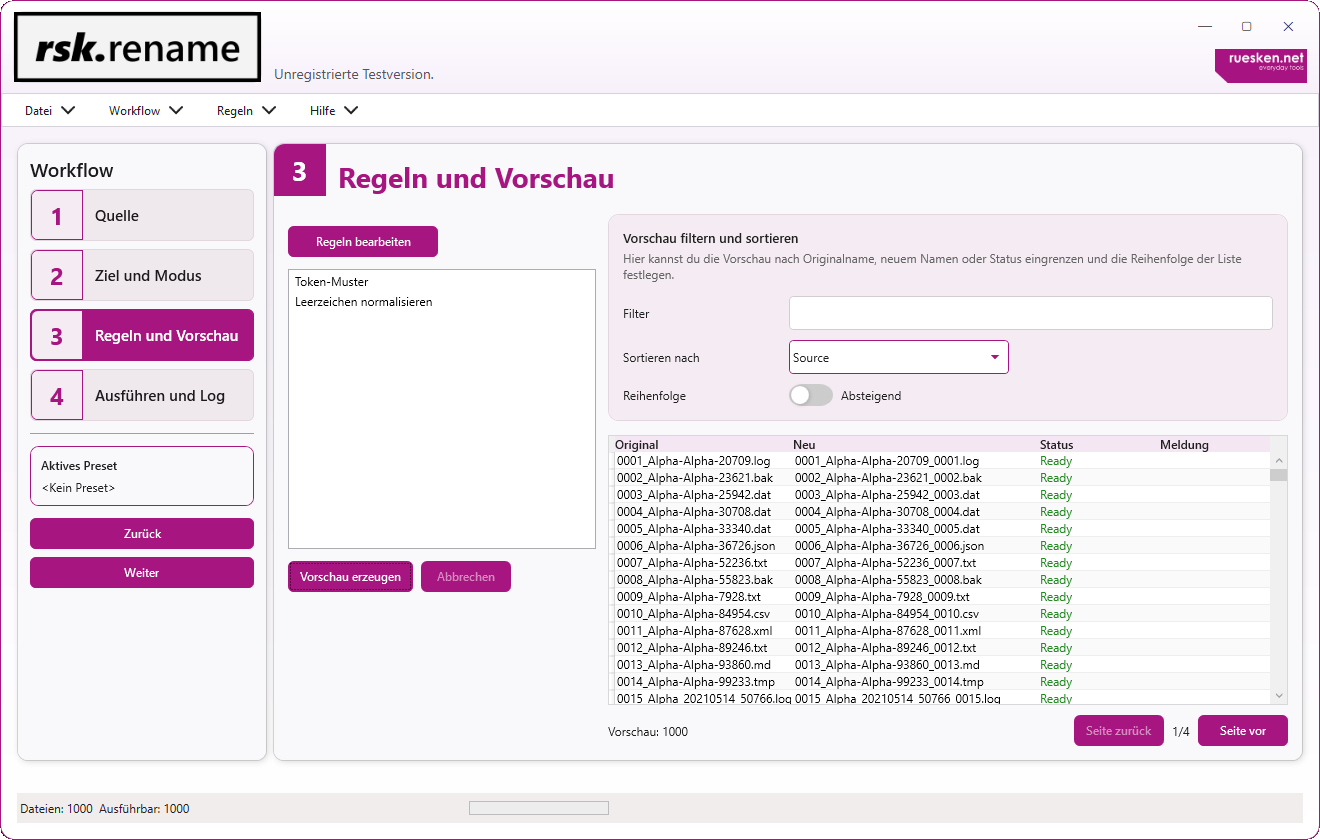
Du siehst die ursprünglichen und die neuen Dateinamen nebeneinander. Konflikte werden sichtbar, bevor du den Vorgang startest. Und erst wenn das Ergebnis so aussieht, wie du es haben möchtest, geht es los.
Original und Ergebnis direkt vergleichen → Konflikte vor der Ausführung erkennen → Erst prüfen, dann ausführen
Nicht nur umbenennen.
rsk.rename kann Dateien auch kopieren und verschieben. Wiederkehrende Abläufe speicherst du als Preset und kannst sie später erneut verwenden.
Und wenn du einen Workflow automatisieren möchtest, kannst du gespeicherte Presets über die Commandline ausführen.
Du kannst also klein anfangen.
Und ziemlich weit gehen, wenn du möchtest.
Für den schnellen Job
Dateien rein, eine Regel erstellen, Vorschau prüfen und fertig.
Für wiederkehrende Aufgaben
Speichere deine Einstellungen als Preset und rufe sie beim nächsten Mal wieder auf.
Für komplexe Regeln
Nutze Platzhalter, reguläre Ausdrücke und eigene JavaScript-Logik.
Für automatisierte Abläufe
Führe vorbereitete Presets über die Kommandozeile aus und integriere rsk.rename in bestehende Workflows.
Probier es mit deinen eigenen Dateien aus.
Die Testversion ist dafür da, dass du rsk.rename nicht nur anschauen, sondern wirklich ausprobieren kannst.
Pro Umbenennungsvorgang kannst du bis zu 25 Dateien bearbeiten und ein eigenes Preset speichern. Der Export von Protokollen und Listen ist in der Testversion nicht enthalten.
Für einen ersten echten Workflow reicht das völlig aus.
Wenn rsk.rename zu deiner Arbeit passt, schaltest du mit einer Lizenz alle Funktionen und Beschränkungen dauerhaft frei.
Lizenz
19,95 €
inkl. MwSt.
Kein Abo. Keine automatische Verlängerung. Die lizenzierte Hauptversion kannst du dauerhaft verwenden.
Mit dem Kauf akzeptierst du unsere Datenschutzerklärung, Widerrufsbelehrung, Refund Policy und die EULA für rsk.guardian.
Zahlungsabwicklung über Paddle.
rsk.rename entwickle ich selbst.
Hi, ich bin Christian.
Die Idee hinter rsk.rename ist ziemlich einfach: Wenn ein Computer eine Aufgabe zuverlässig für mich erledigen kann, möchte ich sie nicht hunderte Male von Hand machen.
Genau solche Werkzeuge entwickle ich gerne.
rsk.rename soll bei einfachen Aufgaben schnell zum Ergebnis führen, aber nicht plötzlich an seine Grenzen kommen, wenn ein Job etwas spezieller wird.
Wenn du eine Frage hast, einen Fehler findest oder eine Idee für die Anwendung hast, kannst du mir direkt schreiben.

Noch Fragen?
Ja. rsk.rename zeigt dir in der Live-Vorschau das geplante Ergebnis, bevor Dateien tatsächlich verändert werden.
Ja. Du kannst Dateien umbenennen, kopieren oder verschieben und diese Schritte in deinen Workflow einbauen.
Ja. Wiederkehrende Abläufe kannst du als Presets speichern und später erneut verwenden.
Ja. Für komplexere Aufgaben kannst du unter anderem Regex und eigene JavaScript-Regeln verwenden.
Gespeicherte Presets können auch über das mitgelieferte Kommandozeilenwerkzeug ausgeführt werden.
Du kannst bis zu 25 Dateien pro Vorgang bearbeiten und ein Preset speichern. Der Export von Protokollen und Listen steht nach der Lizenzierung zur Verfügung.
Nein. Du kaufst die passende Lizenz einmal und kannst die lizenzierte Hauptversion dauerhaft verwenden.
Genug Dateien von Hand umbenannt.
Lade rsk.rename herunter und probiere deinen eigenen Workflow direkt aus.
Für Windows · Kein Abo · Lokale Verarbeitung


