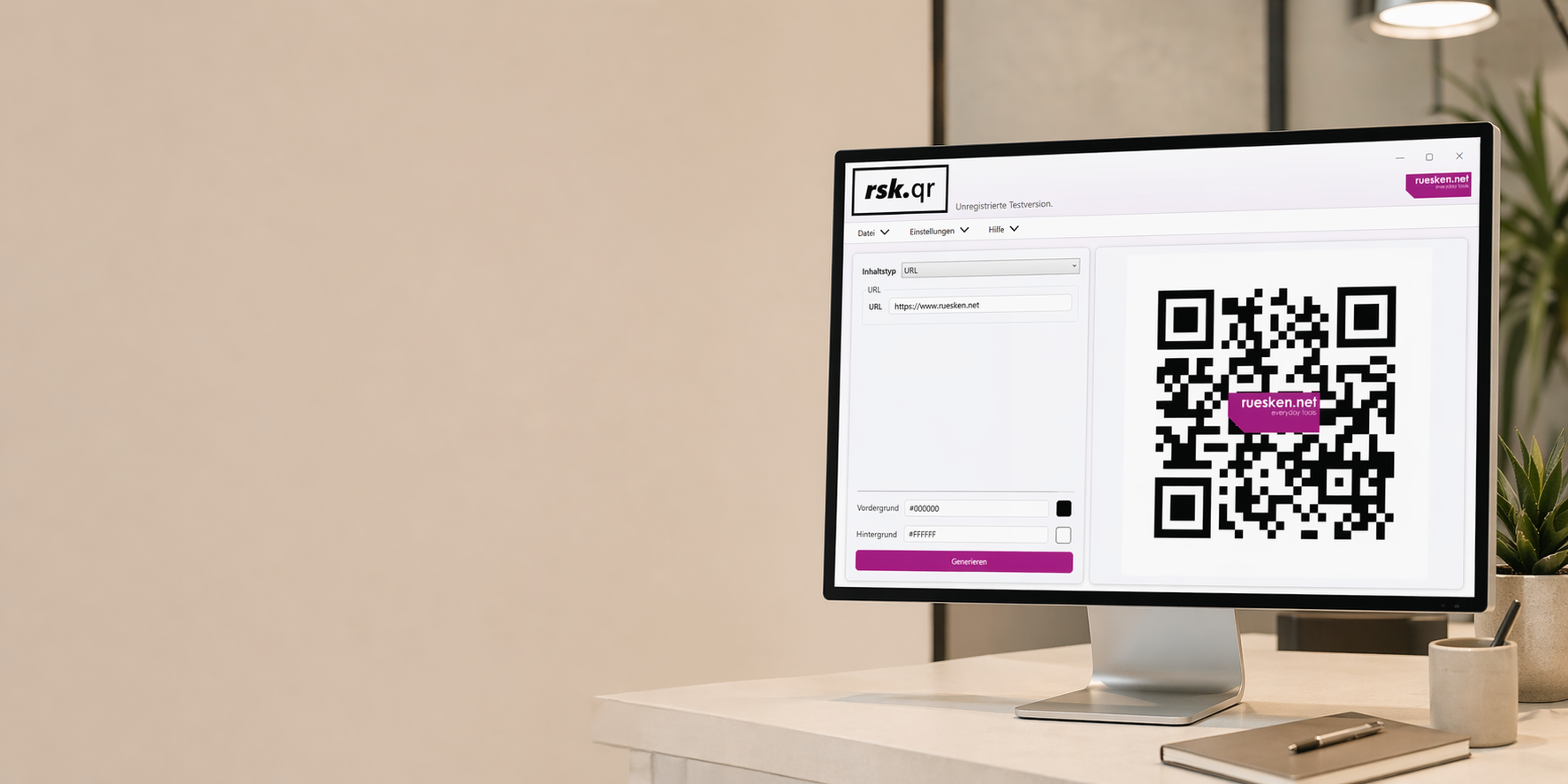
rsk.qr für Windows
QR-Code rein. Cloud raus.
Erstelle QR-Codes direkt auf deinem Rechner, passe sie an und exportiere sie in dem Format, das du brauchst.
Ohne Browser-Tool. Ohne Upload. Ohne Abo.
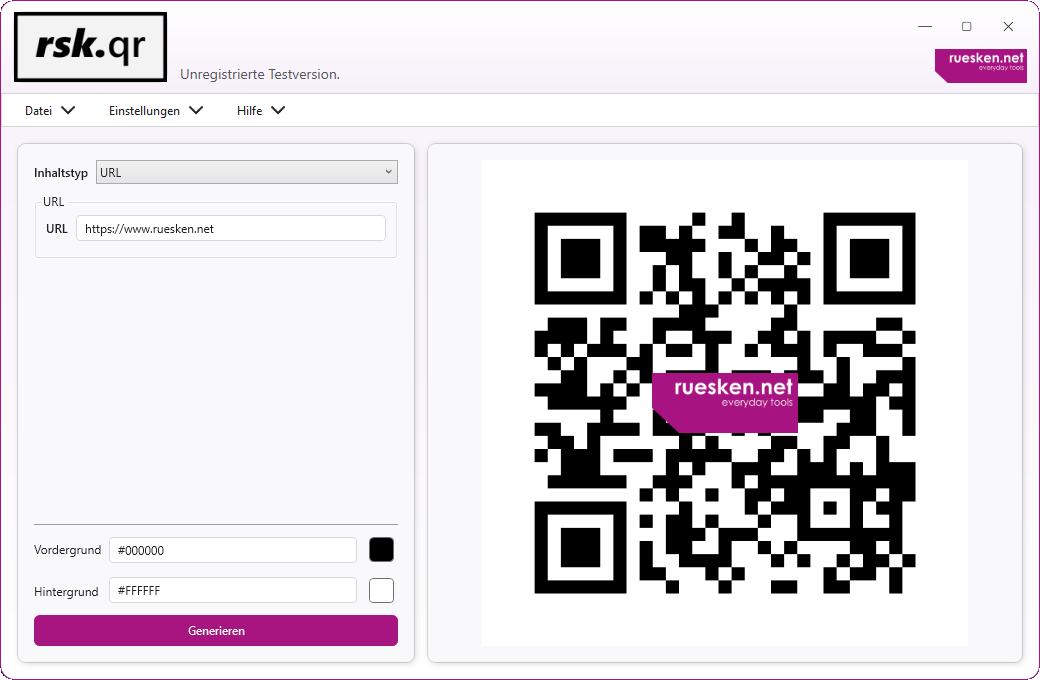
Hinweis zur Testversion: In der kostenlosen Testversion wird im QR-Code immer das ruesken.net-Logo angezeigt und kann nicht entfernt werden. Änderungen in den Logo-Einstellungen haben in der Testversion keinen Effekt. Die Logo-Funktion steht erst nach erfolgreicher Lizenzierung vollständig zur Verfügung.
Eigentlich willst du doch nur einen QR-Code.
Keine Anmeldung. Kein Online-Editor voller Werbung. Und keine Frage, was mit den eingegebenen Daten eigentlich passiert.
rsk.qr läuft direkt auf deinem Windows-PC.
Inhalt eingeben, QR-Code anpassen, exportieren. Fertig.
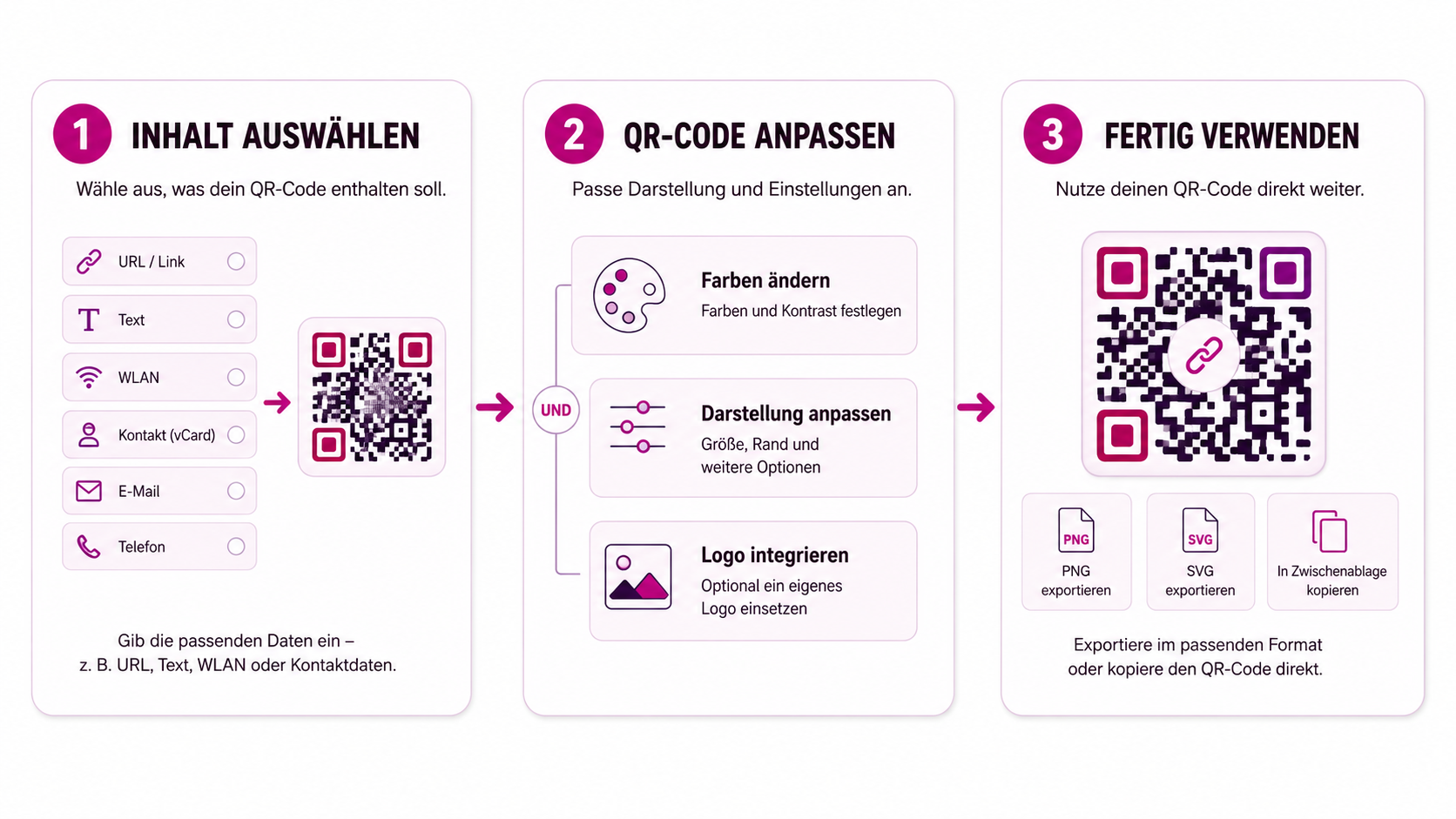
Inhalt wählen. Gestalten. Exportieren.
Mehr braucht es eigentlich nicht.
1. Inhalt auswählen
Wähle aus, was dein QR-Code enthalten soll, und gib die entsprechenden Daten ein.
2. QR-Code anpassen
Passe Farben, Darstellung und weitere Einstellungen an. Wenn du möchtest, kannst du auch ein eigenes Logo integrieren.
3. Fertig verwenden
Exportiere deinen QR-Code in dem Format, das du brauchst, oder kopiere ihn direkt in die Zwischenablage.
Kein Account. Kein Upload deiner Inhalte. Kein Umweg über einen Online-Dienst.
Mehr als nur Links.
Erstelle QR-Codes für Websites, WLAN-Zugänge, Kontaktdaten, E-Mails, Telefonnummern, Standorte und weitere Inhalte.
Farben und Darstellung kannst du anpassen und auf Wunsch dein eigenes Logo integrieren.
Das Ergebnis exportierst du anschließend als PNG, SVG, PDF oder WebP – oder kopierst es direkt in die Zwischenablage.
Website
Eine URL eingeben und direkt als QR-Code ausgeben.
WLAN
Erstelle einen QR-Code, mit dem sich ein WLAN-Zugang bequem teilen lässt.
Kontaktdaten
Fasse Kontaktdaten in einem QR-Code zusammen, damit sie schnell übernommen werden können.
E-Mail und Telefon
Bereite E-Mail-Adressen, Nachrichten oder Telefonnummern direkt für die passende Aktion vor.
Standorte
Teile geografische Positionen per QR-Code.
Eigene Inhalte
Auch einfache Texte und weitere unterstützte Datentypen lassen sich direkt als QR-Code erzeugen.
Dein QR-Code muss nicht aussehen wie jeder andere.
Ein klassischer schwarz-weißer QR-Code ist manchmal genau richtig.
Und manchmal eben nicht.
Mit rsk.qr kannst du Farben und Darstellung an deinen Einsatzzweck anpassen und ein eigenes Logo integrieren.
Die Änderungen siehst du direkt in der Vorschau. So kannst du ausprobieren, was gut aussieht, bevor du das Ergebnis exportierst.
Farben anpassen → Eigenes Logo verwenden → Ergebnis direkt in der Vorschau sehen
Deine Daten müssen für einen QR-Code nirgendwohin.
Ein QR-Code lässt sich direkt auf deinem Rechner erzeugen.
Genau deshalb macht rsk.qr das auch dort.
Wenn du Kontaktdaten, WLAN-Zugangsdaten oder andere Inhalte eingibst, müssen diese nicht erst an irgendeinen Online-Dienst übertragen werden, nur damit daraus ein QR-Code entsteht.
rsk.qr verarbeitet die Inhalte lokal auf deinem Windows-PC.
Das ist technisch unkompliziert.
Und für mich einfach der sinnvollere Weg.
Lokale Verarbeitung
Kein Cloud-Zwang
Kein Benutzerkonto
Kein Abo
Probier rsk.qr einfach aus.
Mit der kostenlosen Testversion kannst du dir die Anwendung in Ruhe ansehen und deine eigenen QR-Codes erstellen.
In der Testversion enthalten die erzeugten QR-Codes das ruesken.net-Logo. Nach der Lizenzierung stehen dir die Möglichkeiten zur individuellen Logo-Gestaltung vollständig zur Verfügung.
So kannst du vor dem Kauf ausprobieren, ob rsk.qr zu dem passt, was du vorhast.
Lizenz
9,95 €
inkl. MwSt.
Kein Abo. Keine automatische Verlängerung. Die lizenzierte Hauptversion kannst du dauerhaft verwenden.
Mit dem Kauf akzeptierst du unsere Datenschutzerklärung, Widerrufsbelehrung, Refund Policy und die EULA für rsk.guardian.
Zahlungsabwicklung über Paddle.
rsk.qr ist eines dieser kleinen Projekte, die irgendwann größer werden.
Hi, ich bin Christian.
Die Grundidee für rsk.qr war simpel: Ich wollte einen QR-Code erstellen, ohne dafür irgendeine Website öffnen und meine Inhalte in ein Online-Formular eingeben zu müssen.
Also habe ich mir mein eigenes Tool gebaut.
Und wie das bei Software manchmal so ist, kamen danach immer mehr Ideen dazu.
Heute kann rsk.qr deutlich mehr als die erste Version. Der Grundgedanke ist aber geblieben: Es soll schnell gehen, lokal funktionieren und nicht komplizierter sein, als ein QR-Code-Generator sein muss.
Wenn du Fragen, Feedback oder eine Idee hast, kannst du mir direkt schreiben.

Noch Fragen?
Nein. Die eigentliche Erstellung der QR-Codes erfolgt lokal auf deinem Rechner.
rsk.qr unterstützt verschiedene Inhaltstypen wie URLs, WLAN-Zugänge, Kontaktdaten, E-Mail, SMS, Telefonnummern, Standorte und weitere Inhalte.
Ja. Du kannst unter anderem Farben und verschiedene Darstellungsoptionen anpassen.
Ja. Mit einer lizenzierten Version kannst du ein eigenes Logo in deinen QR-Code integrieren.
Du kannst deine QR-Codes in verschiedenen Grafikformaten exportieren und sie außerdem direkt in die Zwischenablage kopieren.
Ja. In der Testversion kannst du die Anwendung ausprobieren und QR-Codes erstellen. Die erzeugten QR-Codes enthalten dabei das ruesken.net-Logo.
Nein. Du kaufst die passende Lizenz einmal und kannst die lizenzierte Hauptversion dauerhaft verwenden.
Der nächste QR-Code kann auf deinem Rechner bleiben.
Lade rsk.qr herunter, probiere es aus und erstelle deinen ersten QR-Code direkt auf deinem Windows-PC.
Für Windows · Kein Abo · Lokale Verarbeitung


