

rsk.guardian pour Windows
Vos fichiers. Vos règles. Automatiquement.
rsk.guardian surveille les dossiers et gère automatiquement les opérations de fichiers récurrentes.
Vous déterminez quand une action doit se produire, quels fichiers sont concernés et ce qui sera fait ensuite.
Toutes les fonctionnalités · Sans inscription · Sans abonnement
Note concernant la version d’essai : rsk.guardian est utilisable sans aucune limitation fonctionnelle pendant 7 jours grâce à sa version d’essai gratuite. Durant cette période, toutes les fonctionnalités sont disponibles, notamment la surveillance des dossiers, les règles, les actions et l’historique. Vous pouvez ainsi tester rsk.guardian en conditions réelles d’utilisation. À l’issue de la période d’essai, l’achat d’une licence est nécessaire pour continuer à utiliser l’application.
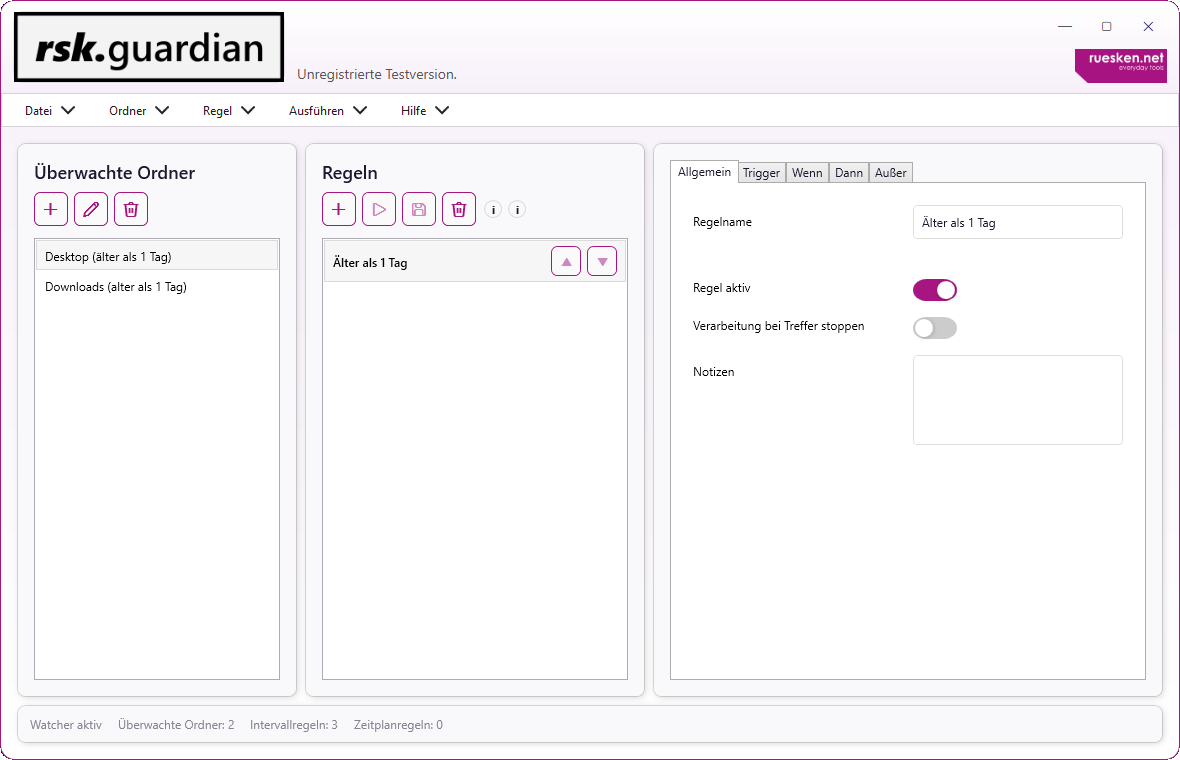
À quelle fréquence effectuez-vous la même tâche de fichier de manière répétée ?
Trier les téléchargements. Déplacer les exportations. Archiver les anciens fichiers. Décompresser les fichiers. Renommer des fichiers spécifiques ou nettoyer régulièrement les dossiers.
Chaque tâche prise individuellement ne prend que quelques minutes.
Mais pourquoi le faire encore et encore ?
rsk.guardian gère ces processus pour vous. Une fois configuré, il réagit automatiquement aux événements survenant dans vos dossiers.
C’est vous qui fixez les règles.
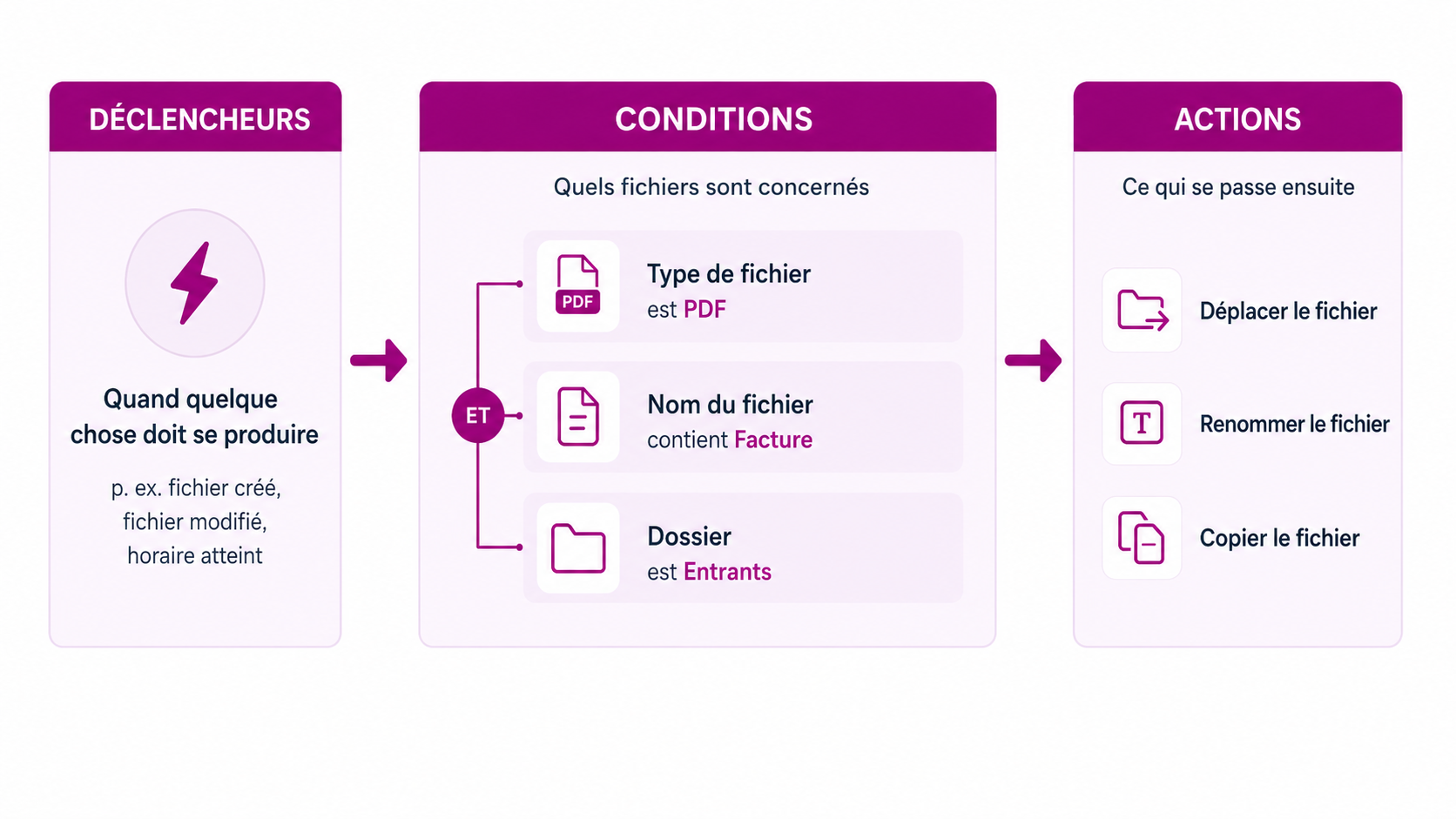
Quand?
Un fichier a été créé ou modifié. Un délai précis a été atteint. Un intervalle arrive à expiration. Vous pouvez aussi lancer le processus vous-même.
Lequel?
Les conditions vous permettent de décider précisément quels fichiers doivent être traités, en fonction de leur nom, type, taille, ancienneté et autres propriétés.
Et ensuite ?
Copiez, déplacez, renommez, triez, archivez, décompressez, enregistrez ou exécutez vos propres flux de travail.
La règle peut être aussi simple. Ou aussi complexe que votre flux de travail l’exige.
Que pouvez-vous en faire ?
Par exemple, le nettoyage automatique du dossier de téléchargement.
Déplacez les exportations régulières vers l’emplacement approprié.
Décompresser automatiquement les nouvelles archives et traiter leur contenu.
Trier les fichiers par type, ancienneté ou nom.
Archiver automatiquement les anciens fichiers.
Ou créez un processus entièrement personnalisé qui corresponde parfaitement à votre travail.
rsk.guardian vous fournit les éléments de base. À vous de décider ce que vous créez avec.
L’automatisation, c’est bien. Le contrôle, c’est mieux.
Avant d’appliquer une nouvelle règle à vos fichiers, vous pouvez vérifier ce qui se passera.
Les exécutions sont consignées, les erreurs restent traçables et vous pouvez voir quels fichiers ont été traités.
Je considère cela particulièrement important pour les opérations automatisées sur les fichiers. Par conséquent, rsk.guardian n’est pas conçu pour être une boîte noire.
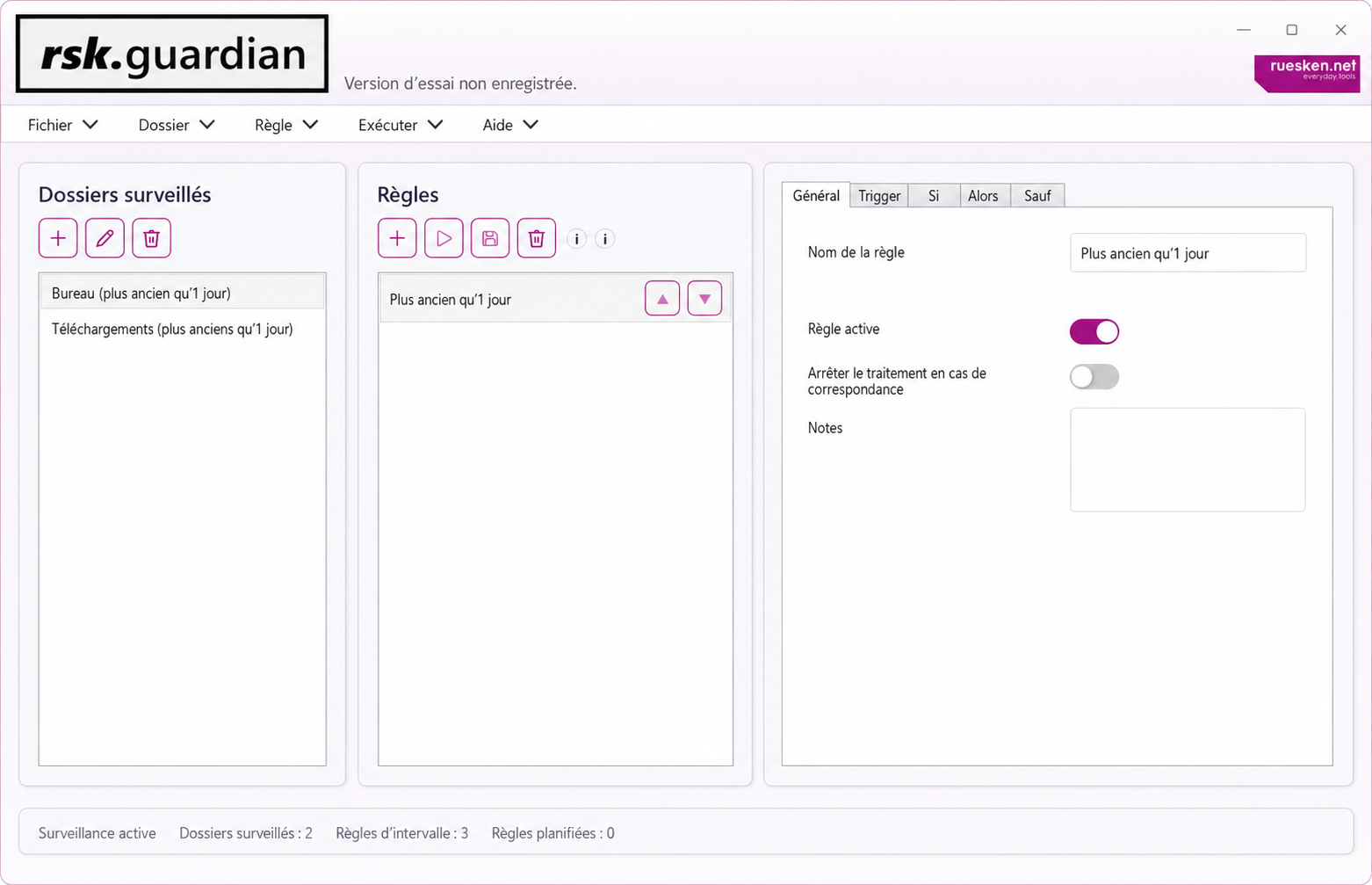
Essayez-le pendant sept jours. Ensuite, vous décidez.
Pendant la période d’essai, vous pouvez utiliser rsk.guardian dans son intégralité pendant sept jours. Aucune version d’essai limitée ni fonctionnalité bloquée.
licence
29,95 €
TVA incluse.
Aucun abonnement. Aucun renouvellement automatique. Vous pouvez utiliser la version principale sous licence indéfiniment.
En achetant ce produit, vous acceptez notre Politique de confidentialité, notre Politique d’annulation, notre Politique de remboursement et notre CLUF pour rsk.guardian.
Paiement effectué via Paddle.
Je conçois des logiciels que j’aimerais utiliser moi-même.
rsk.guardian n’est pas un produit d’une grande entreprise de logiciels. J’ai développé cet outil moi-même car les processus de fichiers récurrents m’agaçaient depuis longtemps, et je souhaitais une solution à la fois flexible et facile à comprendre.
Il est important pour moi que vous compreniez toujours le fonctionnement d’une règle. C’est pourquoi il existe des aperçus, des journaux et une séparation claire entre les déclencheurs, les conditions et les actions.
Je continue à développer rsk.guardian parce que j’apprécie moi-même le produit et parce que je suis convaincu qu’une bonne automatisation peut faire gagner beaucoup de temps au quotidien.
Et si vous avez une question, une idée ou un problème, vous n’écrivez pas à n’importe quelle équipe d’assistance.
Vous m’écrivez directement.

Questions fréquentes concernant rsk.guardian
rsk.guardian est un outil Windows permettant d’automatiser les flux de travail liés aux fichiers et aux dossiers.
Vous définissez un déclencheur, vous fixez des conditions, puis vous déterminez l’action à effectuer. Cela vous permet d’automatiser les tâches récurrentes que vous devriez autrement réaliser manuellement.
rsk.guardian s’exécute en arrière-plan et peut surveiller vos dossiers et règles définis pendant que vous continuez à travailler normalement.
Par exemple, déplacer, copier, renommer, trier, archiver, décompresser ou enregistrer des fichiers.
Vous pouvez opter pour des règles très simples ou combiner plusieurs conditions et actions en processus plus complexes.
Oui. Le contrôle est particulièrement important lors des opérations automatisées sur les fichiers. Il est donc essentiel de tester et de bien comprendre les processus avant de les appliquer à de grands volumes de données.
Non. rsk.guardian traite vos fichiers localement ou dans les emplacements de stockage que vous spécifiez.
Aucun service cloud n’est requis pour l’automatisation proprement dite de vos fichiers.
Non..
Vous pouvez télécharger, installer et tester intégralement rsk.guardian pendant sept jours sans créer de compte utilisateur au préalable.
Non. Vous pouvez tester toutes les fonctionnalités de rsk.guardian pendant sept jours.
Ce n’est qu’après la fin de la période d’essai que vous aurez besoin d’une licence valide pour continuer à utiliser le logiciel.
Non.
Vous achetez la licence une seule fois et pouvez utiliser la version principale sous licence de façon permanente. Il n’y a pas de renouvellement automatique ni de frais mensuels.
Pour tous ceux qui souhaitent automatiser les processus de fichiers récurrents.
Il peut s’agir du dossier de téléchargement qui est nettoyé automatiquement, d’une exportation qui doit être traitée régulièrement ou d’un flux de travail plus complexe comportant de multiples conditions et actions.
Configurez-le une seule fois. Ensuite, il fonctionnera automatiquement.
Si vous triez, déplacez, renommez ou traitez régulièrement les mêmes fichiers, vous n’avez pas besoin de le faire manuellement à chaque fois.
Créez le processus une seule fois dans rsk.guardian.
Le reste est pris en charge par la règle.
Toutes les fonctionnalités · Aucune inscription · Aucun abonnement.


